


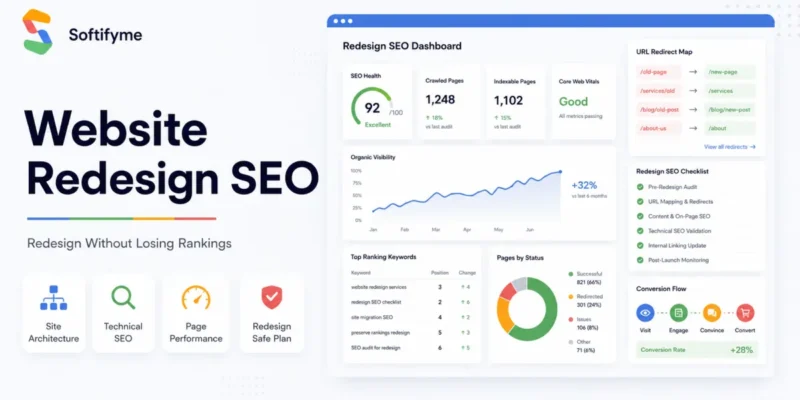
Website Redesign SEO: How to Redesign a Website Without Losing Rankings
A website redesign should make your business look sharper, perform faster, and convert better. But if the redesign is handled without SEO planning, it can quietly destroy years of organic visibility.
For B2B companies, SaaS teams, service businesses, and enterprise organizations, this is not a minor technical issue. Lost rankings mean fewer qualified leads, fewer booked calls, weaker pipeline, and higher dependency on paid acquisition.
That is why website redesign SEO matters.
A successful redesign is not only about improving visual design. It must protect your existing search equity, preserve high-value pages, improve technical performance, and create a stronger conversion path for users who already find you through Google.
This guide explains how to redesign a website without losing SEO, rankings, traffic, or lead-generation momentum.
What Is Website Redesign SEO?
Website redesign SEO is the process of protecting and improving organic search performance during a website redesign.
It connects design, development, technical SEO, content strategy, page speed, internal linking, metadata, redirects, and conversion structure into one controlled redesign plan.
A normal redesign asks:
“What should the website look like?”
A proper SEO-friendly website redesign asks:
“What should the website look like, how should it perform, what rankings must be protected, and how should it convert better after launch?”
That difference matters.
When a business redesigns its website without SEO planning, it may accidentally remove pages that rank, change URLs without redirects, weaken content structure, delete metadata, break internal links, slow down page speed, or confuse Google’s understanding of the site.
Website redesign SEO helps prevent those issues.
It allows your company to modernize the website while protecting:
- Organic rankings
- Indexed URLs
- Existing traffic
- High-performing content
- Backlink value
- Service-page visibility
- Lead-generation pages
- Conversion paths
- Technical SEO stability
For business leaders, the goal is simple: improve the website without sacrificing the visibility you already earned.
Why Website Redesigns Can Hurt SEO
A redesign can damage SEO when design decisions are made without understanding how search engines evaluate pages.
Google does not rank your website because it looks modern. It ranks pages because they satisfy search intent, load properly, remain crawlable, contain useful content, and provide a strong user experience.
When a redesign changes those signals carelessly, rankings can drop.
Common reasons redesigns hurt SEO
The most common website redesign mistakes include:
- Changing URLs without 301 redirects
- Removing pages that already rank
- Deleting useful content to make the design “cleaner”
- Replacing keyword-focused copy with vague brand messaging
- Removing H1s, H2s, FAQs, and structured content
- Forgetting title tags and meta descriptions
- Breaking internal links
- Launching with slow page templates
- Ignoring mobile responsiveness
- Blocking pages from indexing
- Forgetting canonical tags
- Not submitting an updated sitemap
- Not monitoring Search Console after launch
The biggest mistake is treating SEO as something to check after the redesign is finished.
That is backwards.
SEO needs to be part of the redesign plan before design, development, content, and launch decisions are finalized.
Website Redesign SEO Checklist
A website redesign SEO checklist helps your team control risk before, during, and after launch.
This checklist is especially important if your website already generates organic traffic, sales inquiries, demo bookings, consultation requests, or brand visibility.
1. Audit Current Website Performance
Before changing anything, understand what the current website is already doing.
Review:
- Top organic landing pages
- Ranking keywords
- Clicks and impressions in Google Search Console
- Conversion pages
- Blog posts generating traffic
- Service pages ranking for commercial keywords
- Pages with backlinks
- Indexed URLs
- Crawl errors
- Mobile usability issues
- Core Web Vitals
- Existing metadata
- Internal link structure
This gives you a baseline.
Without a baseline, you will not know what was lost, protected, or improved after launch.
For a business website, this step is not optional. It tells you which pages are assets and which pages are dead weight.
2. Export and Map Existing URLs
Every redesign should begin with a complete URL inventory.
Export all current URLs from your CMS, sitemap, crawler, and Google Search Console.
Then organize them into categories:
- Keep as-is
- Improve and keep
- Merge with another page
- Redirect to a new URL
- Remove only if no SEO or business value exists
If URLs are changing, create a redirect map before launch.
A redirect map should include:
- Old URL
- New URL
- Redirect type
- Page purpose
- Priority level
- Notes for developers
Use 301 redirects for permanent URL changes.
Do not rely on memory. Do not leave this to the final launch day. Poor redirect planning is one of the fastest ways to lose rankings after a redesign.
3. Preserve High-Value Content
Many companies redesign their websites and remove large amounts of content because the new layout looks cleaner.
That can be expensive.
If a page is ranking, earning impressions, attracting backlinks, or supporting conversions, do not delete its content blindly.
Instead, improve it.
Preserve or strengthen:
- Primary keyword relevance
- Search intent alignment
- Important headings
- Useful explanations
- FAQs
- Internal links
- Service details
- Trust signals
- Case studies
- Conversion-focused sections
A modern design should make valuable content easier to consume. It should not erase the substance that helped the page rank in the first place.
4. Protect Metadata and Heading Structure
During redesigns, metadata is often forgotten.
That is a basic but damaging mistake.
Review and preserve or improve:
- SEO title tags
- Meta descriptions
- H1 headings
- H2 and H3 structure
- Image alt text
- Open Graph titles and descriptions
- Schema markup
- Canonical tags
Your heading structure should make the page easier for both users and search engines to understand.
Avoid vague headings like:
- “Our Solution”
- “What We Do”
- “Better Results”
- “Built for You”
Use specific headings instead:
- “Website Redesign Services for Business Websites”
- “How We Redesign Websites Without Losing SEO”
- “Website Redesign for Better Conversions”
- “Technical SEO Checks Before Website Launch”
Specific headings help search engines understand page relevance. They also help serious buyers scan the page faster.
5. Fix Internal Links Before Launch
Internal links help users and search engines understand the relationship between pages.
During a redesign, internal links often break because URLs change, pages are removed, or menus are rebuilt.
Before launch, check:
- Navigation links
- Footer links
- Blog-to-service links
- Service-to-service links
- CTA links
- Breadcrumb links
- Button links
- Sidebar links
- Related post links
For a website redesign SEO project, internal linking should be intentional.
Your most important service pages should receive links from relevant pages using natural anchor text.
For example, a blog about website redesign SEO should link to your website redesign services page using anchor text like:
- website redesign services
- professional website redesign services
- website redesign consultation
- SEO-friendly website redesign
Do not use the same anchor everywhere. Keep it natural.
6. Improve Page Speed and Mobile Experience
A redesign should improve performance, not slow the website down.
Modern layouts often introduce heavy images, animations, sliders, icon libraries, scripts, tracking tools, and unnecessary visual effects. These can damage Core Web Vitals and user experience.
Check:
- Image size
- Lazy loading
- CSS and JavaScript bloat
- Font loading
- Mobile layout shifts
- Button spacing
- Form usability
- Server response time
- Caching setup
- Plugin load
- Third-party scripts
For B2B websites, speed affects more than rankings.
It affects trust.
A slow website makes a software company look operationally weak. If your own website feels heavy, buyers may question your ability to build fast, scalable systems for them.
7. Test Redirects and Crawlability
Before launch, crawl the staging website and test technical SEO controls.
Check:
- 301 redirects
- Broken links
- Redirect chains
- 404 errors
- Canonical tags
- Sitemap status
- Robots.txt
- Noindex tags
- Blocked resources
- Pagination
- Schema markup
- Mobile rendering
- HTTPS status
One small noindex mistake can remove important pages from search results. One bad redirect pattern can destroy the value of old URLs.
Technical checks should happen before launch, not after traffic drops.
8. Monitor Search Console After Launch
After launch, monitor Google Search Console closely.
Track:
- Clicks
- Impressions
- CTR
- Average position
- Indexed pages
- Excluded pages
- Crawl errors
- Sitemap discovery
- Mobile usability
- Core Web Vitals
- Top queries
- Top landing pages
Do not judge the redesign only by how it looks.
Judge it by how it performs.
If impressions drop sharply, Google may be struggling to understand the new structure. If clicks drop while impressions remain stable, the title, meta description, or user intent match may be weak. If rankings drop for specific pages, check redirects, content changes, internal links, and crawlability.
How to Redesign a Website Without Losing SEO
To redesign a website without losing SEO, you need to protect the signals that already help your pages rank while improving the parts that limit performance.
The safest approach is not to freeze the website. It is to redesign with control.
Keep valuable pages live
Do not remove pages just because they feel old.
First check whether they have:
- Organic traffic
- Ranking keywords
- Backlinks
- Leads or conversions
- Internal link value
- Strategic service relevance
If a page has value, improve it or redirect it carefully.
Avoid unnecessary URL changes
Changing URLs is sometimes necessary, especially when cleaning up poor site architecture.
But changing URLs without a clear reason creates risk.
If the current URL is clean, relevant, indexed, and ranking, consider keeping it.
If the URL must change, use a 301 redirect from the old URL to the closest matching new page.
Never redirect everything to the homepage. That is lazy and harmful.
Preserve search intent
Search intent is the reason someone types a query into Google.
If a page ranks because it explains a service, do not redesign it into a vague brand page. If a blog ranks because it solves a specific problem, do not remove the practical answer.
During redesign, preserve the intent that made the page useful.
Improve the structure, visuals, speed, and CTA path — but do not destroy the reason the page ranked.
Improve content instead of deleting it
Old content may need editing. That does not mean it should be removed.
Improve:
- Clarity
- Formatting
- Examples
- Internal links
- CTA placement
- FAQs
- Keyword alignment
- Business value
- Technical accuracy
Content should become sharper after redesign, not thinner.
Use 301 redirects correctly
If URLs change, 301 redirects are essential.
A proper redirect should send users and search engines from the old page to the most relevant new page.
Example:
Old page about website redesign services → new website redesign services page.
Bad example:
Old page about website redesign services → homepage.
That weakens relevance and creates a poor user experience.
Test before launch
Before going live, test the redesigned website like a system, not a brochure.
Check:
- Forms
- CTAs
- Redirects
- Menus
- Mobile layout
- Page speed
- Metadata
- Indexing rules
- Sitemap
- Analytics
- Search Console
- Conversion tracking
A redesign launch should not be guesswork.
SEO During Website Redesign: What Business Leaders Should Monitor
Business leaders do not need to inspect every technical detail manually. But they do need visibility into the metrics that affect revenue, pipeline, and digital growth.
Organic Visibility
Monitor whether Google visibility is improving or weakening.
Watch:
- Total impressions
- Total clicks
- Average position
- CTR
- Query-level changes
- Page-level ranking shifts
- Country-level performance
- Device-level performance
If impressions are growing but clicks are not, your snippet may be weak.
If rankings fall after launch, investigate page changes, redirects, internal links, and crawl issues.
Lead Generation
A redesign is not successful because the design looks better. It is successful when the website produces better business outcomes.
Monitor:
- Consultation bookings
- Contact form submissions
- CTA clicks
- Quote requests
- Demo requests
- Lead quality
- Conversion rate by landing page
For Softifyme’s audience, the website must support pipeline creation. A beautiful website that does not convert is still a business liability.
Technical Stability
Technical stability protects both SEO and user experience.
Monitor:
- Crawl errors
- 404 pages
- Redirect chains
- Server errors
- Indexing issues
- Mobile usability
- Core Web Vitals
- Page speed
- Broken internal links
Your redesigned website should be easier for Google to crawl, easier for users to navigate, and easier for your team to scale.
Content and UX Performance
Strong SEO and strong UX should work together.
Monitor:
- Scroll depth
- Time on page
- CTA engagement
- Navigation behavior
- Form abandonment
- Exit pages
- Landing page conversions
If users arrive from Google but leave without action, the page may rank but fail commercially.
That is not enough.
Website Migration SEO Checklist vs Website Redesign SEO Checklist
Website redesign SEO and website migration SEO are related, but they are not always the same.
A redesign usually focuses on improving the website’s design, UX, structure, content, speed, and conversion path.
A migration usually involves moving from one platform, CMS, domain, hosting setup, or URL structure to another.
Both can affect SEO. Both need planning.
| Area | Website Redesign SEO | Website Migration SEO |
|---|---|---|
| Main Focus | UX, design, content, conversion, SEO preservation | CMS, domain, platform, hosting, or URL movement |
| Main Risk | Rankings drop because content, structure, or links change | Rankings drop because technical signals are not transferred properly |
| Key Tasks | Content preservation, metadata, internal links, speed, UX | Redirect mapping, crawl control, sitemap, canonicals, indexing |
| Business Goal | Better experience and better conversion without losing visibility | Stable transition with minimal traffic loss |
| Common Mistake | Removing valuable content for cleaner design | Poor redirect mapping or blocked indexing |
If your redesign includes a CMS change, domain change, or major URL restructuring, you need both a website redesign SEO checklist and an SEO migration checklist.
Do not treat migration as a small technical step. It can affect every page that currently earns traffic.
SEO-Friendly Website Redesign Best Practices
An SEO-friendly website redesign should make your website stronger for users, search engines, and buyers.
Start with data, not design preference
Do not begin with colors, animations, or layout trends.
Start with:
- Which pages generate traffic?
- Which pages generate leads?
- Which keywords are close to page one?
- Which pages have backlinks?
- Which content supports buying decisions?
- Which sections create friction?
- Which CTAs are underperforming?
Design should support business strategy. It should not replace it.
Preserve and improve search intent
Every important page should have a clear purpose.
A service page should explain the service, who it is for, what problems it solves, what outcomes it creates, and why the company is credible.
A blog post should answer a specific question better than competing pages.
A landing page should drive a clear action.
If the redesign makes pages visually attractive but less useful, it is not an upgrade.
Build cleaner information architecture
Your website structure should help users move from problem awareness to decision.
For a B2B software company, that usually means clear paths to:
- Services
- Industries
- Case studies
- Process
- Technology expertise
- Consultation booking
- Contact options
- Educational resources
Search engines also use structure to understand page importance.
Important pages should not be buried.
Improve page speed
Page speed affects user trust, SEO performance, and conversion rate.
During redesign, reduce anything that does not support the user journey.
Avoid unnecessary:
- Large hero videos
- Heavy sliders
- Too many animations
- Uncompressed images
- Excessive plugins
- Multiple font families
- Unused scripts
A premium website should feel fast, controlled, and intentional.
Strengthen internal linking
Internal links should support topical authority.
For example, a website redesign SEO blog should link to:
- Website redesign services
- Website development services
- SEO and digital marketing services
- Website redesign consultation page
This creates a stronger relationship between informational content and commercial service pages.
Add schema where relevant
Schema helps search engines understand structured information.
Useful schema types may include:
- Article schema
- FAQ schema
- Breadcrumb schema
- Organization schema
- Service schema
- Local business schema where relevant
Schema will not fix weak content, but it can improve clarity and eligibility for enhanced search results.
Align UX with business goals
Every important page should answer:
- Who is this for?
- What problem does it solve?
- Why should the buyer trust us?
- What happens next?
- What action should the user take?
If a user reaches the page and still has to think hard about the next step, the page is not doing its job.
Common Website Redesign Mistakes That Damage Rankings
Many redesign failures are avoidable. They happen because teams focus on surface-level design and ignore search performance.
1. Redesigning without an SEO audit
Without an audit, you do not know which pages are valuable.
That means you may accidentally remove or weaken pages that already rank.
2. Deleting pages that already rank
If a page earns traffic, impressions, backlinks, or leads, treat it as a business asset.
Do not delete it without a replacement or redirect plan.
3. Changing URLs without redirects
Any changed URL needs a relevant 301 redirect.
Missing redirects create 404 errors, lost equity, and poor user experience.
4. Rewriting content without preserving intent
Brand messaging is not a replacement for useful content.
If the old page ranked because it answered a specific query, the redesigned version still needs to satisfy that query.
5. Ignoring metadata
Title tags and meta descriptions influence how your pages appear in search.
Weak snippets can reduce CTR even when rankings are decent.
6. Launching with broken internal links
Broken links waste crawl budget, frustrate users, and weaken page authority flow.
Test internal links before launch.
7. Forgetting mobile performance
Google evaluates mobile experience seriously.
Your redesigned website must be responsive, readable, fast, and easy to use on mobile devices.
8. Blocking pages from indexing
Staging settings, noindex tags, and robots.txt rules can accidentally block important pages.
Check indexability before launch.
9. Ignoring conversion tracking
A redesign should improve business results.
Make sure forms, events, analytics, pixels, and booking actions are tracked correctly.
10. Not monitoring Search Console after launch
SEO protection does not end at launch.
Monitor Search Console daily during the first few weeks after a major redesign.
When to Hire a Website Redesign SEO Service
A website redesign can be handled internally when the website is small, has little organic traffic, and does not play a major role in lead generation.
But if your website supports sales, inbound marketing, hiring, investor trust, or enterprise buying decisions, the risk is higher.
You should consider a professional website redesign SEO service if:
- Your website already ranks for business-critical keywords
- Your service pages generate inquiries
- Your blog earns organic traffic
- Your website has many indexed URLs
- You are changing CMS, theme, platform, or URL structure
- You cannot afford a drop in leads
- Your internal team lacks SEO migration experience
- Your website needs both redesign and technical cleanup
- You want better conversions, not just better visuals
A strong redesign partner should understand more than UI.
They should understand:
- Website architecture
- Technical SEO
- Content strategy
- Conversion design
- Performance optimization
- Analytics
- Search Console monitoring
- Business goals
That is where website redesign becomes part of digital transformation, not just a design refresh.
Final Website Redesign SEO Checklist
Before launching a redesigned website, review this checklist.
- Audit current rankings and organic traffic
- Export all existing URLs
- Identify high-value pages
- Preserve important ranking content
- Map old URLs to new URLs
- Set up 301 redirects
- Protect metadata and heading structure
- Update internal links
- Check canonical tags
- Review robots.txt
- Remove accidental noindex tags
- Optimize page speed
- Test mobile responsiveness
- Compress images
- Validate schema markup
- Submit updated sitemap
- Connect analytics and conversion tracking
- Monitor Search Console after launch
- Track rankings, clicks, impressions, and conversions
A redesign should not be treated as finished when the website goes live.
It is finished when the new website is stable, crawlable, faster, more useful, and producing better business outcomes.
FAQ: Website Redesign SEO
What is website redesign SEO?
Website redesign SEO is the process of protecting and improving organic search performance during a website redesign. It includes URL planning, content preservation, metadata, redirects, internal links, page speed, mobile usability, crawlability, and post-launch monitoring.
How do I redesign a website without losing SEO?
To redesign a website without losing SEO, audit your current rankings and URLs, preserve high-value content, avoid unnecessary URL changes, set up 301 redirects, protect metadata, fix internal links, submit an updated sitemap, and monitor Google Search Console after launch.
Can a website redesign hurt rankings?
Yes. A redesign can hurt rankings if important pages are removed, URLs are changed without redirects, metadata is lost, internal links break, page speed becomes worse, or pages are accidentally blocked from indexing.
What should be included in a website redesign SEO checklist?
A website redesign SEO checklist should include a URL audit, ranking review, content preservation plan, redirect map, metadata review, internal link check, mobile performance test, sitemap submission, schema validation, and post-launch Search Console monitoring.
What is the difference between website redesign SEO and website migration SEO?
Website redesign SEO focuses on protecting rankings while improving design, UX, content, speed, and conversions. Website migration SEO focuses on protecting rankings during CMS changes, domain changes, hosting changes, platform changes, or major URL restructuring.
Do I need 301 redirects during a website redesign?
You need 301 redirects if any URLs change during the redesign. Each old URL should redirect to the most relevant new URL. Redirecting everything to the homepage is not a proper SEO strategy.
How long does SEO take to stabilize after a website redesign?
SEO stabilization can take several weeks depending on site size, crawl frequency, redirect quality, content changes, technical setup, and how quickly Google processes the updated structure.
Should I hire a website redesign SEO service?
You should hire a website redesign SEO service if your website already generates organic traffic, leads, sales, or rankings that your business cannot afford to lose. A professional team can reduce launch risk and improve the redesigned website’s performance.
Redesign Your Website Without Losing Search Visibility
Your website should not hold your business back.
If your current website is outdated, slow, hard to manage, weak on conversions, or risky to redesign because of existing rankings, Softifyme can help you plan the transition properly.
Softifyme is a software engineering and digital transformation company based in Islamabad, Pakistan, serving global clients since 2017. We help businesses modernize digital systems, improve web experiences, reduce operational silos, and build scalable technology foundations for growth.
Our team can help you redesign your website with a strategy that protects SEO, improves UX, strengthens technical performance, and creates a clearer path from traffic to qualified leads.
Book a free discovery consultation and let’s map your website redesign and digital transformation roadmap.
Book a Website Redesign Consultation
Explore Website Redesign Services
